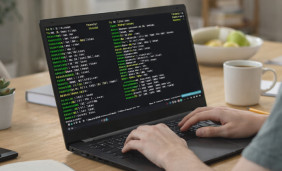
What “Termux online” really means
This site covers no web version of Termux. The app runs on an Android device and keeps its files there. People who search for Termux online usually want one of the options below. Looking for a computer route? See Termux for PC and other platforms.
Local Android app
Install Termux on an Android device and use it there. This is the app this site describes.
Remote access
Reach Termux on your own device from another computer over SSH. Only you control that connection.
Web terminal sites
Online terminal websites give you a shell on someone else’s server. They are different from Termux, so do not enter passwords or private data on unknown sites.
Download Termux and use it remotely
-
Decide what you need
Choose between using Termux directly on Android or reaching it from another device.
-
Choose a Termux build
Press Download App to open the latest-version page and read its notes. Match the Android version and architecture, and avoid repackaged installers.
-
Install and open the app
Install Termux on Android, launch it and let the first setup finish.
-
Enable remote access
Start an SSH server in Termux as shown below, then connect from the other device with an SSH client.
Reach Termux from another device
Start an SSH server in Termux
Run the first block inside Termux on the Android device. Then connect from your computer. Replace USER and PHONE_IP with the values shown on the device.
# on the Android device, inside Termux
pkg install openssh
whoami
passwd
sshd

# on your computer
ssh -p 8022 USER@PHONE_IPUse the same network
Both devices must reach each other, for example on the same Wi-Fi network.
Set a password
Run passwd in Termux before starting sshd, and do not expose the port to the internet.
Commands run on Android
Files and packages stay on the Android device. The other screen only shows the session.
Termux Online: FAQ
Is there an online version of Termux?
This site covers no web version. Be careful with sites that claim to be Termux online, especially ones that ask you to download files or enter passwords.
Can I use Termux in a browser?
Only indirectly, through a connection you set up yourself, such as SSH to your own Android device.
Where do I download Termux?
Press Download App to open the latest-version page. For device-specific steps, see the Termux for Android guide.