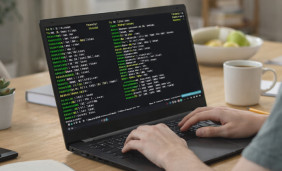
Termux on Windows 7: your options
There is no native Termux for Windows 7. Windows 7 is no longer supported by Microsoft, and some emulators need a newer Windows, so check each requirement list before you download anything. Using Windows 10 or Windows 11? See the Termux for Windows 10 and Termux for Windows 11 guides.
Android emulator
Run the Android app on your PC with a keyboard and a large screen. Confirm that the emulator supports Windows 7.
SSH to your phone
Keep Termux on an Android phone and connect from the PC with an SSH client. Your commands run on the phone.
Linux on the PC
A Linux live system or virtual machine gives you a shell, but it does not run the Termux app.
Download and install Termux on Windows 7
-
Check your Windows 7 edition
Open System properties to see whether Windows 7 is 32-bit or 64-bit. Emulators list the Windows versions and architectures they support; there is no universal Termux PC requirement.
-
Choose emulator or phone
If no emulator supports your system, install Termux on an Android phone and use the SSH route below instead.
-
Choose a Termux build
Press Download App to open the latest-version page and read its notes. Match the Android version and architecture, and avoid repackaged desktop installers.
-
Install and open the app
Install Termux inside Android, on the emulator or on the phone, then launch it and let the first setup finish.
Connect from Windows 7 over SSH
Start an SSH server in Termux
Run the first block inside Termux on the Android device. Then connect from the PC with an SSH client such as PuTTY. Replace USER and PHONE_IP with the values shown on your device.
# on the Android device, inside Termux
pkg install openssh
whoami
passwd
sshd

# on the PC, in an SSH client
ssh -p 8022 USER@PHONE_IPUse the same network
The phone and the PC must reach each other, for example on the same Wi-Fi network.
Set a password
Run passwd in Termux before starting sshd, and do not expose the port to the internet.
Update packages
Run pkg update and pkg upgrade after the first launch to keep the environment current.
Download Termux for Windows 7: FAQ
Can I download Termux for Windows 7?
There is no native Windows version of Termux. Use an Android emulator that supports your system, or connect to Termux on an Android device over SSH.
Does Termux work on 32-bit Windows 7?
Emulator support for 32-bit systems varies, so check each requirement list. SSH works with any computer that has an SSH client.
Is there a Termux .exe file for Windows 7?
This guide does not cover a native Windows .exe. Treat any Termux .exe download as suspicious and use the Android route instead.
More guides
All articles ↗Other platforms: Termux for laptop, Windows 10, Linux and Android.